
Online appointment requests for nail artists — a refill and a new set aren't the same amount of time
Refill, new set or removal? You shouldn't have to piece it together from several messages.
Refill, new set, removal, repair or nail art: the client picks what they'd come in for, even several services in one request. You confirm seeing the full time needed — not piecing it together from messages.
Why it's good as a nail artist
“It just needs a little work”
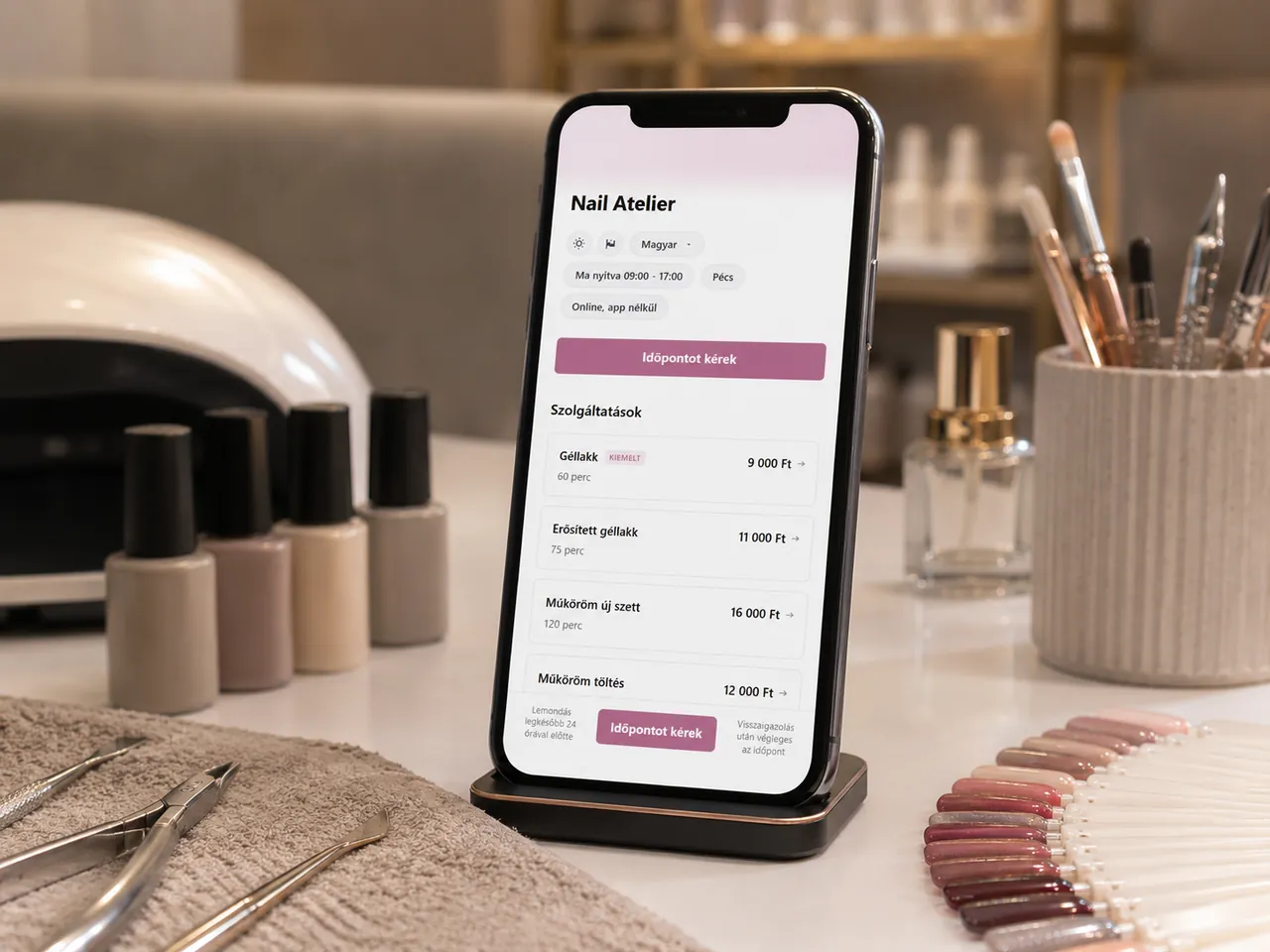
You can add refill, new set, repair and removal as separate services. The client picks the service already at request time, and you can decide seeing its configured time.
Message-based coordination falls on you
A request coming through a booking link already carries the chosen service and time — no need to gather it from several messages.
With a returning client, last time matters
You see their previous bookings — service, date, price — and your own client notes, all in one place.
How controlled appointment requests work
-
The client requests an appointment
They send a request through the booking link in your Instagram bio or a message — the request already includes which service they'd come for and when.
-
You confirm
The request already shows whether they chose a refill, new set, removal or repair, and you can decide based on the full time needed.
-
The full time adds up
If you've added nail art or repair as separate services, the client can combine them in the same request; the durations add up.
What you gain
For you
The chosen service and its full configured time arrive in one request — you don't piece it together from several messages.
For the client
They don't have to wait for your reply just to tell you which service they want and when.
See it on a sample nail studio
Try it the way your client will: choose a service, send an appointment request, then see as the owner how it arrives and how it's handled.
Lakk & Lap
A nail studio's booking page.
What you get as a nail artist
One booking link
A shareable link you can put in your Instagram or Facebook profile, or send in a message — appointment requests come from there.
Client history and your own notes
For a returning client you see their previous bookings — service, date, price — and you can access your own client notes in one place.
Automatic notifications
The client is notified of your decision; Bokko automatically sends the appointment reminders you have enabled.
Start with the nail-care template
Six classic nail-care services in one click — manicure, pedicure, gel polish hands and feet, nail extension build and refill. After registration you can tailor them to your own services right away.
- Classic manicure 45 min
- Classic pedicure 60 min
- Gel manicure 60 min
- Gel pedicure 60 min
- Nail extension 90 min
- Artificial nail refill 90 min
Starter is enough as a solo nail artist
For the one-staff, one-location scenario, Starter covers the basics. If your team grows, you can switch to Pro.
See the plansFrequently asked
Can I set different service durations?
Yes — each service has its own duration and price (e.g. manicure 45 min, gel polish hands 60 min, nail extension build 120 min).
How do I handle refill vs. new build?
Set them up as separate services — the client picks at request time. The Bokko quick-start template includes both by default.
Do I need a credit card to request a notification?
No. All we need for the launch notification is your email address.