
Every area, one system
Getting clients, operations, client care, sales, payments, retention and insights — see in detail what Bokko can do.
How it works — from request to calendar
A booking request in Bokko is simple: the guest sends it, you decide, and it appears in your calendar.
Submit the request
Guests can request an appointment without registering and instantly receive a reference number.


Accept the request
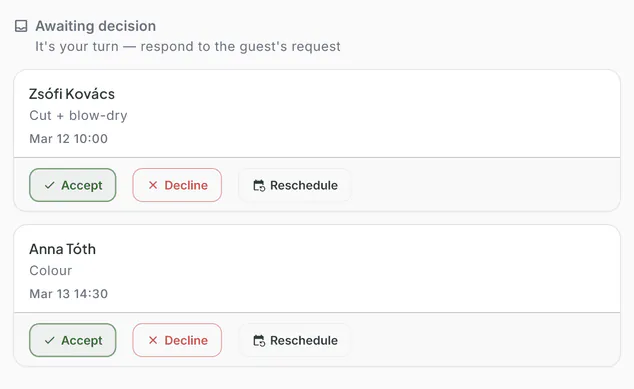
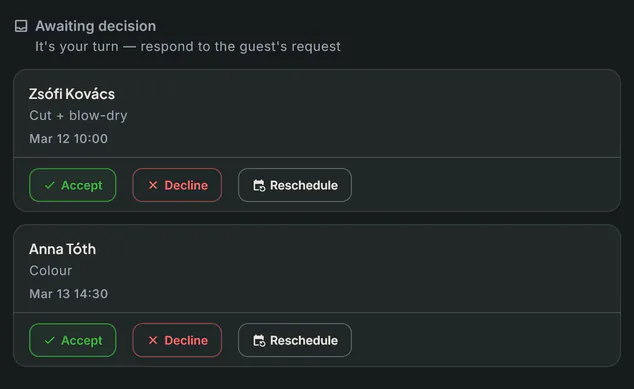
The request appears in your “Awaiting decision” list — accept it, decline it, or suggest another time in one click.
Appears in your calendar
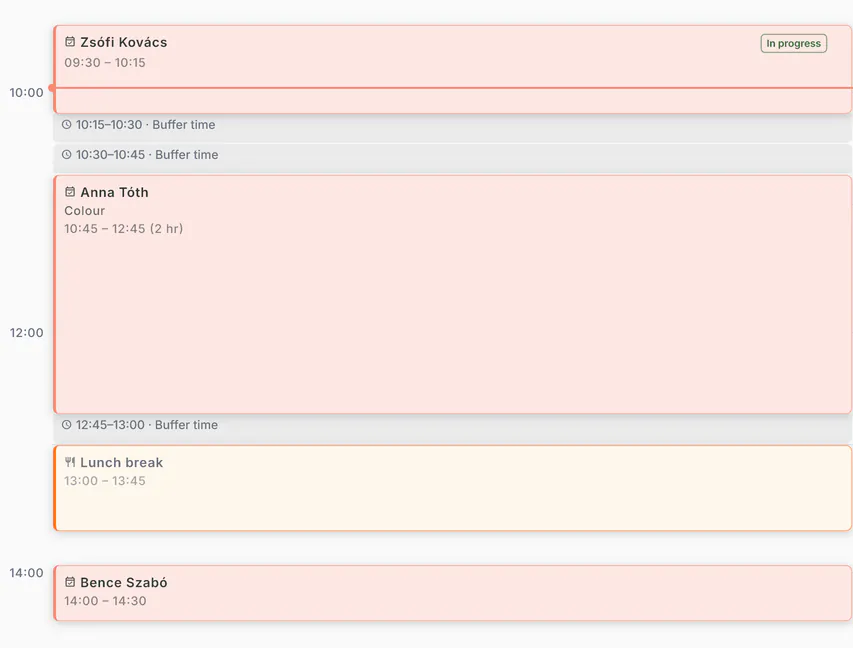
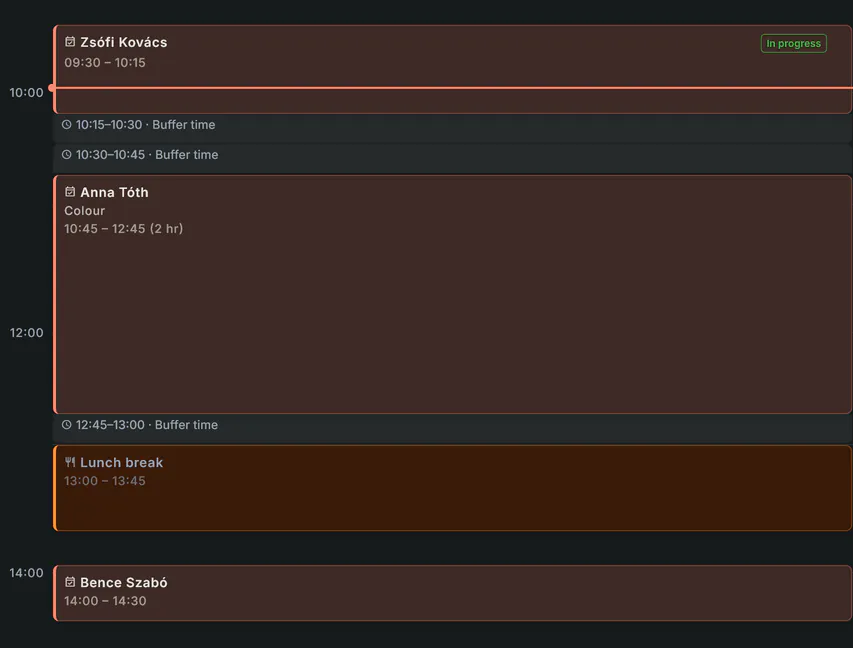
Once accepted, the appointment appears in your calendar automatically, including buffer time.
Getting clients
Operations
Client care
Sales
Payments
Retention
Insights
Getting started
Online booking page
Share your booking link on Instagram, your website, or anywhere else. Guests choose a service and request a time — you decide: request by request, or with automatic acceptance set per service.
Your guest opens your link, picks a service and a time that suits them, then sends the request. No account needed on their side. The request lands with you, and until it is accepted — by you, or through automatic acceptance you set for the service — nothing is booked.
- Services grouped into categories, with duration and price
- Guests only need their name and email — no sign-up
- Decide request by request, or set automatic acceptance per service — the guest always requests
- Booking rules on every plan: lead time, booking window, cancellation deadline, buffer time


Google, sharing and 11 languages
Put your booking link where your clients look: on your Google Business Profile, on Instagram, as a QR code — and clients can request a time in 11 languages.
Your booking page is a fast, search-friendly page that Google understands. When you publish, you get a ready-made sharing kit: a QR code, sharing via WhatsApp, Messenger, Facebook, SMS and email, plus tips for your Instagram bio.
- A booking link for your Google Business Profile
- QR code download and one-tap sharing
- Client pages in 11 languages: Hungarian, English, German, Czech, Slovak, Romanian, Polish, Italian, Spanish, French, Russian
- Your own link, which you can rename later


Booking page branding
Your booking page carries your name, logo, cover image and colours — not a generic template.
Guests open your page, not a marketplace listing. Logo, cover image, intro text, accent colour, typeface, gallery and social links — all yours to set.
- Logo, cover image, intro text, accent colour and typeface
- Gallery: 5 public images on Starter, 12 on Pro
- Social links and section visibility are yours to configure


Website embed
Drop your booking page into your own website with one code snippet — guests never have to navigate away. (Pro)
You get an embed snippet to paste into any page of your website. The request flow runs where the guest already is — and the link stays shareable everywhere else.
- One embed snippet, no developer needed
- The request flow runs inside your own website
- The same link stays shareable on Instagram and your Google profile
Calendar and scheduling
Opening hours, exceptions, per-staff working hours and time off. Bookings go into Google Calendar, and time that is busy in Google or Outlook cannot be requested.
Your calendar is built from your opening hours, exceptions, your staff’s working hours and the bookings you accepted — in your location’s time zone.
- Opening hours, exceptions and holidays handled separately
- Google Calendar: bookings are added, and time busy in Google cannot be requested
- Conflict warning when a request would overlap an existing booking
- Outlook calendar busy time per staff member, and an iCal feed for Apple and other calendars
Services and pricing
Services organised in categories, with duration, price and description. Guests know exactly what they're paying for and how long it takes.
For every service you set how long it takes and what it costs — and that is exactly what your guest sees before booking, not afterwards.
- Duration, price and description per service
- Grouped into categories so even a long list stays readable
- You choose which services are bookable online
Rescheduling and cancellations
Guests can ask to reschedule and you propose a new time — the booking only moves once they accept.
Guests can request a reschedule from their booking email, optionally with a note. Your calendar does not move: you propose a new time, and it only takes effect once the guest accepts. Both you and the guest can cancel.
- The guest asks to reschedule — you propose the new time
- The new time takes effect only once the guest accepts
- Guest-side rescheduling can be switched off in the booking rules
Staff and permissions
Invite your team and give everyone their own login. Assign services and calendars per person, and their role decides what they can see and change.
Invite your team and everyone works with their own login. Choose from four roles — owner, manager, reception, provider — and the role decides who sees and changes what, from the calendar to client records.
- A separate login per team member, no shared account
- Per-member access to services and calendars
- Roles decide who can change what
Group sessions
One time slot with several seats — class, workshop, course. Guests sign up one by one for the same session. (Pro)
You create a group service, then individual sessions with a set capacity. Every sign-up is a separate request you decide on just like an individual appointment — manually, or with automatic acceptance.
- One session with a set number of seats — a full session takes no more sign-ups
- Every sign-up is its own request, with its own confirmation and reminder
- If you cancel the session, every attendee is notified automatically


Waitlist
Guests can join a waitlist for full slots, and when one opens up the first guest in line is notified automatically. (Pro)
When a slot is already taken, your guest can join the waitlist. If it frees up, the system notifies the next guest in line — you do not have to call anyone back.
- Guests can join the waitlist for fully booked times
- When a slot frees up, the first guest in line is notified automatically
- The guest sets which dates work for them — we only notify them about those
Guest management
Keep guest profiles, booking history and private notes in one place, and spot repeat no-shows at a glance.
Each guest has their booking history and your notes in one place — so next time you are not working from memory.
- Booking history per guest
- Private notes only you and your team can see
- Repeat cancellations and no-shows visible at a glance
- Guest list import and export via CSV
- An abusive guest can be blocked manually or automatically (Pro)


Reminders — SMS and email
Two automatic reminders before every appointment by email — and by SMS too, if you switch it on and the client gave a phone number.
The confirmation goes out by email as soon as you accept the request. Reminders are sent twice — 24 and 2 hours before the appointment — with no work on your side. Email reminders are included on every plan; SMS goes too if you switch it on and the client gave a phone number.
- Confirmation by email, immediately after you approve
- Two reminders: 24 and 2 hours before the appointment
- SMS allowance: 10 a month on Starter, 30 on Pro — expandable. When it runs out, the reminder goes by email
- After the visit, a feedback email with a Google review button
Passes
You sell a pass at the counter, and clients use it when they book — by visit, minute, balance or period. (Pro)
Most places still keep passes on paper or in a spreadsheet. In Bokko a pass is spent when the booking is accepted, comes back when it is cancelled in time, and both sides see the same balance.
- Four kinds: passes counted in sessions, in minutes, as a prepaid balance, or covering a period
- Spent when the booking is accepted, returned when cancelled in time
- Every movement is traceable, and the guest redeems it with their own code


Gift cards
Issue a gift card on the spot; the client redeems it with their code when booking. (Pro)
The gift card balance lives in Bokko: the guest pays with their code at booking, and whatever is left stays for the next visit. Two kinds can be issued — an amount, or a voucher for one specific service.
- Issued by hand from the dashboard
- An amount, or a voucher for one specific service
- The guest redeems it with their code; the remaining balance is kept
Discount codes
Issue a discount code for a campaign, or attach a personal discount to a returning guest. (Pro)
You create the code: how big the discount is, how long it lives, how many times it can be redeemed. The guest enters it at the booking summary and sees the discounted total right away. On cancellation the redemption is reversed.
- Discount codes with expiry and redemption limits, listed by status
- Per-guest discounts — no code needed, applied automatically
- The guest sees the discounted total before sending the request
Online payments
Clients can pay online tied to the booking, or at the counter after the service. Payment at checkout is available on every plan; deposits start at Pro.
You connect the payment provider with your own account, and the money goes straight to you — Bokko ties the amount to the booking, so you keep no separate record. At completion you record how it was settled: cash, bank transfer, your own terminal — or online, in which case Bokko gives you a payment link and QR code for the counter.
- Payment at completion on every plan — cash, transfer, your own terminal, or online
- Your own payment account — revenue flows directly to you
- Deposits on bookings — from Pro
- Stripe and Barion connections on every plan


Deposits and no-show protection
Ask for a deposit where a no-show would cost you most. You keep track of no-shows, can block repeat cases automatically, and can set a no-show fee in your booking terms. (Pro)
If a no-show costs you a lot on a given service, you can ask for a deposit. You set the rules, and the client sees them before booking. Deposits need a Billingo or Számlázz.hu connection, so every payment gets a document.
- Deposits are switched on in the booking rules, as a fixed amount or a percentage of the service price
- Guests see the conditions before they book
- A no-show fee in your booking terms — the client accepts it before booking
- No-show tracking and automatic blocking with a threshold you set
Invoicing
Issue the invoice for a completed booking from your own invoicing software — Billingo or Számlázz.hu — and keep the document with the booking.
The invoice is issued in your own invoicing software, and the document stays with the booking — no hunting for who got what, and no entering the same data twice.
- The document is tied to the booking, not kept in a separate ledger
- Billingo and Számlázz.hu integration — no double data entry
- Guests can request an invoice too, if you switch that on
- For online deposits, an advance and a final invoice are issued in your invoicing app
Newsletters and review requests
Ask for a review on your Google profile after the visit, and send targeted newsletters: available slots, win-back, new service. (Newsletter: Pro)
Send newsletters with your own templates to the people who opted in. Consent and unsubscribe handling is built in — you do not have to track it yourself.
- Your own templates, in your own branding
- Built-in consent handling and unsubscribe link
- Up to 1,500 emails per month
- Ready-made campaign goals: re-booking, win-back, new service, available slots, seasonal, occasional
Insights and reports
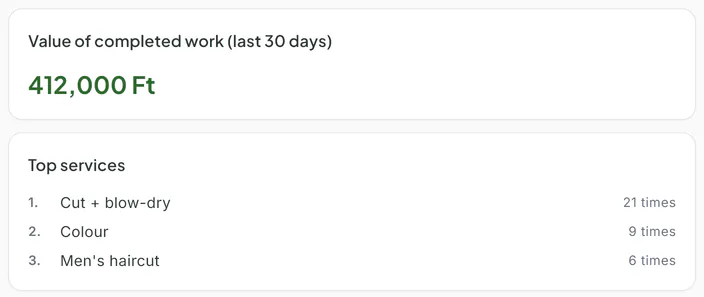
Track occupancy, the value of completed work, your most popular services and the no-show trend. (Pro)
You see how your bookings are trending, how much revenue you recorded on completed appointments, and which service is booked most — for decisions, not decoration.
- Booking trends over time
- The prices recorded on completed bookings, totalled
- A ranking of your most-booked services
- Booking list export to CSV (Pro)
- Occupancy, breakdown by staff member, online vs manual bookings
Getting started and learning
Ready-made service templates for 11 industries, client list import, practice booking and a Learning Center — so you do not have to figure it out alone.
The setup wizard walks you through step by step: pick your trade and your service list and opening hours are already there. A checklist and a preview help before you publish, and short Learning Center lessons adapt to your role.
- 123 ready-made service templates for 11 industries
- Client list import from CSV, with Fresha and Treatwell columns recognised
- Practice booking: play through a request end to end, risk-free
- Learning Center: short lessons matched to your role and permissions